To prepare for an office cleanout, make a simple plan, sort items, protect private data, and tell employees what to expect. Clear paths, marked work areas, and a set pickup time help desks, cubicles, electronics, and other office junk leave safely. These steps help an Acworth office stay on track.
Table of Contents
- How should you plan an office cleanout?
- What should you remove before the cleanout begins?
- How can you protect sensitive business information?
- How do you keep employees productive during an office cleanout?
- What should you know before scheduling commercial junk removal?
- How can you prepare an office for the removal crew?
- What should you do after the office cleanout is complete?
- Key takeaways
- Frequently Asked Questions
- Conclusion
How should you plan an office cleanout?
A good office cleanout begins with a clear plan. Decide what must leave, when the work can happen, and who will lead each task. This keeps the project from becoming rushed. It also helps the removal crew work without stopping normal business activity.
Set clear goals, priorities, and deadlines
Walk through the office and list each area that needs work. Include private offices, open workspaces, storage rooms, break rooms, reception areas, and loading spaces. Write down large items, such as desks and tables, as well as small items, such as lamps, bins, and old supplies.
Separate urgent items from items that can wait. A property manager may need an empty suite before a new tenant arrives. A business owner may only need old cubicles removed before a remodel. Clear goals make it easier to set a useful deadline.
A basic cleanout plan should include:
- The rooms and storage areas included in the project
- Furniture, electronics, and debris that must leave
- Items that will stay, be donated, recycled, or discarded
- The date when the space must be ready
- The person who approves final removal choices
Check the lease before moving anything. Some buildings have rules for docks, elevators, waste rooms, and work hours. Acworth Georgia Junk Removal can help owners and managers think through the removal plan before work starts.
Assign responsibilities to the right team members
Choose one person to lead the project. That person can answer questions, approve unclear items, and work with building staff. Other team members can label furniture, gather records, or prepare electronics. Giving each task an owner helps prevent confusion.
The project lead should keep a written list. A shared file or printed checklist can show what is done and what still needs work. This helps when several departments use the same office.
What should you remove before the cleanout begins?
Before the cleanout, identify unwanted furniture, equipment, supplies, and general office junk. Separate useful items from items that need removal. Sorting first saves time and lowers the risk of removing something important by mistake.
Identify desks, cubicles, furniture, and general office junk
Walk through the space with a paper list or phone checklist. Mark desks, chairs, cubicle panels, filing cabinets, shelves, tables, reception furniture, and broken fixtures. Check closets and storage rooms too. Boxes, worn carpet pieces, broken fans, and old signs can add up quickly.
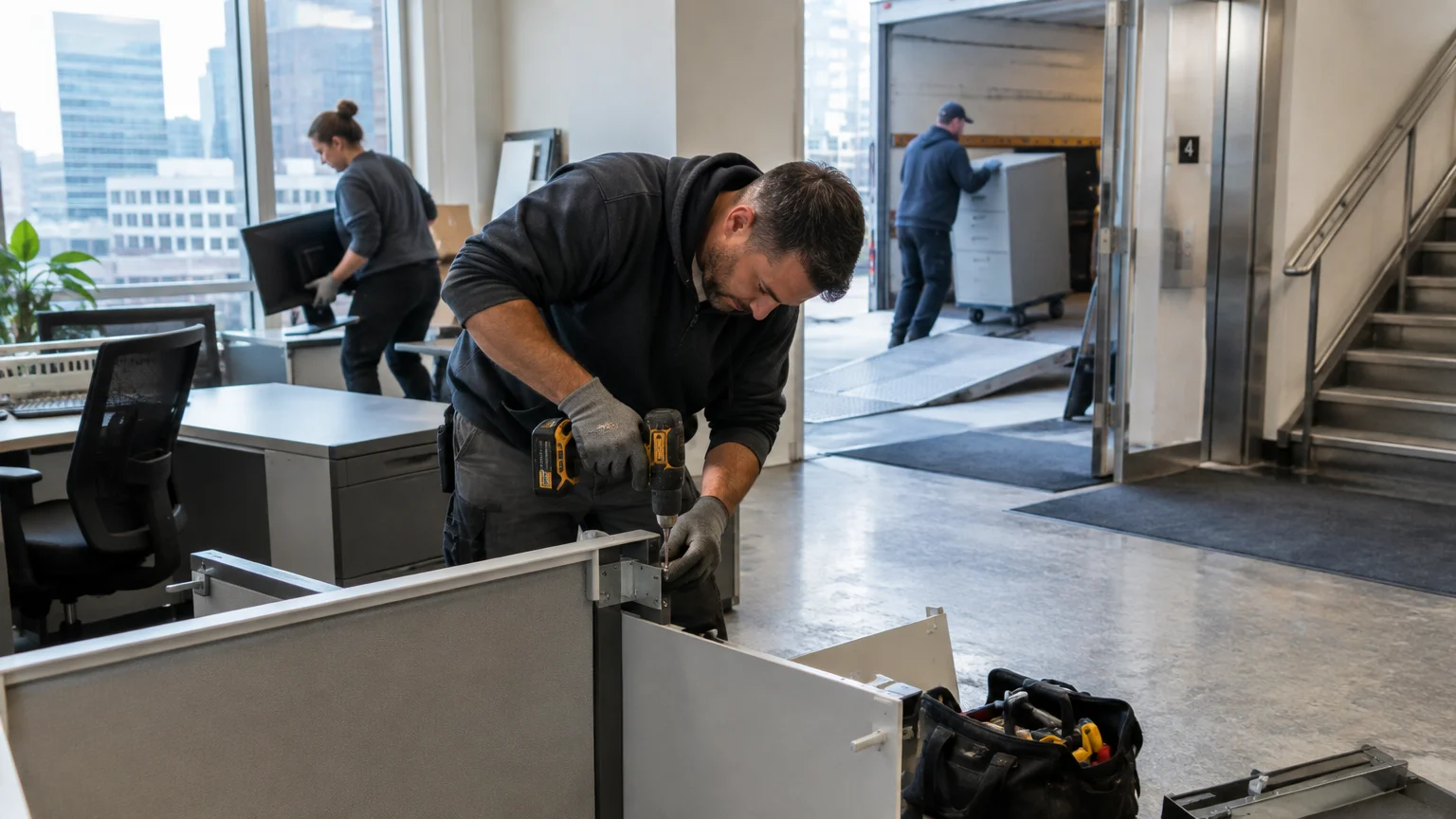
Large furniture may need some disassembly. Do not take items apart unless someone can do it safely. Heavy cabinets and desks can hurt workers or damage walls, doors, and floors when moved without the right tools.
The list may also include:
- Broken office chairs and unused desks
- Old cubicle panels and workstations
- Shelves, cabinets, and conference furniture
- Damaged break room appliances
- Cardboard, packing material, and loose debris
- Outdated equipment the business no longer needs
A cleanout service removes unwanted items from a home, office, or commercial property. The next step may be reuse, recycling, donation, or disposal. Ask what the provider accepts before the appointment.
Separate items for reuse, recycling, donation, or disposal
Make marked areas for items that will stay and items that will go. Reusable desks or chairs may help another department. Working furniture may also help a nonprofit or another local group. Keep damaged items apart from items that need special handling.
Appliances need care as well. A refrigerator, microwave, or water cooler may have parts that should not enter regular trash. Businesses asking how to get rid of a fridge should check local rules and provider policies.
Do not mix paint, chemicals, pressurized containers, medical waste, or other regulated materials with office junk. Ask the proper local authority or a qualified handler about those items. This keeps employees, building staff, and the crew safer.
How can you protect sensitive business information?
Secure private information before the office cleanout begins. Paper records, computers, storage devices, and labels can show private details even after they are no longer used. A removal plan should protect data as well as furniture.
Handle paper records and confidential materials securely
Check file cabinets, desks, drawers, printers, and storage boxes. Keep records that the company must save. Follow the business retention policy for the rest. Papers with customer details, employee data, financial information, passwords, or legal records need special care.
A normal office cleanout is not certified document destruction. If records need shredding or another secure process, use a provider that clearly offers it. Never leave private papers in an open hall, shared waste room, or unlocked loading area.
Check whiteboards, bulletin boards, labels, and notes before removal. These may show passwords, phone numbers, project names, or customer details. Erase private information and remove labels from boxes, computers, and cabinets.
Prepare computers, hard drives, and other electronics for removal
The technology team should prepare computers and storage devices. It can back up needed files, remove accounts, sign out of services, and follow the company data-wipe policy. Simple deletion may not remove data from a hard drive.
Electronics include monitors, printers, phones, routers, cables, servers, and battery-powered devices. Keep these items in a separate area. Electronic waste may need a proper recycling program instead of regular disposal. The Environmental Protection Agency offers electronics donation and recycling guidance.
The removal crew should not decide whether a computer still holds company data. That choice belongs to the business. Once the technology team approves the items, list them for removal.
How do you keep employees productive during an office cleanout?
Employees work better when they know what will happen and when. A short message should explain the schedule, affected areas, safety rules, and changes to daily work. Clear notice keeps staff away from active work zones.
Create a clear communication plan for your team
Send the first notice early. Give employees time to save files, remove personal items, and prepare their desks. Explain which items belong to the company and which items staff must take home. Send a final reminder before work begins.
Include the date, work areas, access limits, and project lead. Employees should know where to report problems. They should also know not to move heavy furniture or enter a marked zone without permission.
Managers can use this checklist:
- Tell employees which rooms close and when
- Ask staff to remove personal items by the deadline
- Explain where temporary work areas will be
- Share rules for elevators, halls, and loading zones
- Provide one contact for cleanout questions
Use phased scheduling, temporary work areas, or remote work
A phased cleanout handles one area at a time. This works well when the office stays open. The team might clear storage rooms first, then unused offices, and then shared work areas. This limits noise and keeps more desks available.
Temporary work areas can help employees whose desks are being removed. Remote work may also help during a move, remodel, or building change. The best choice depends on the business, building, and type of work.
Acworth Georgia Junk Removal can help Acworth businesses choose a removal window that fits the site. The business should make the final choice based on staff needs, customer access, security, and building rules.
What should you know before scheduling commercial junk removal?
Before scheduling commercial junk removal, document the items, access points, and site conditions. Good details help the provider understand the job and prevent delays. The plan should also follow the property’s rules.
Document the items, access points, and site conditions
Make an inventory of everything that must leave. Include the size and number of large pieces, the amount of loose debris, and items needing special handling. Photos can show tight corners, stairs, elevators, narrow doors, or long paths to the loading area.
Note whether the crew will work inside an occupied building. Identify floor protection needs, security desks, parking limits, and restricted areas. In a multi-tenant property, building staff may need notice first.
Good details include:
- The floor or suite where items are located
- Stairs, elevators, ramps, and door widths
- Loading dock rules and vehicle access
- Items needing disassembly or careful handling
- Materials the provider cannot accept
Confirm timing, loading instructions, and property requirements
Confirm the arrival window and expected work order. The business should ask who provides access and who approves changes. It should also confirm parking instructions, elevator access, and loading dock rules.
Property managers may require proof of insurance, work-hour limits, floor protection, or other documents. Rules differ by building. Get them before the appointment instead of during the cleanout.
For local service, businesses can review how Acworth Georgia Junk Removal serves Acworth, including Downtown Acworth, Lake Acworth, Kennesaw, Woodstock, Marietta, Cartersville, and nearby commercial properties. Clear planning helps the provider arrive ready.
How can you prepare an office for the removal crew?
The office should be ready before the crew arrives. Clear paths, open work zones, and confirmed building access help the job move smoothly. Employees should stay outside the active work area unless they have a specific task.
Clear pathways, elevators, loading zones, and work areas
Remove boxes, cords, decorations, and loose items from the route. Keep halls and doors open where allowed. Protect items that stay in place, especially glass walls, finished floors, displays, and nearby equipment.
Do not block fire exits or safety equipment. The Occupational Safety and Health Administration gives guidance on keeping exit routes clear in its emergency exit route information. Follow the building’s safety rules too.
Mark items that must stay. A bright label or separate room can prevent mistakes. Keep personal property, active equipment, and important records away from the removal area.
Coordinate with property managers, security, and building staff
Building staff should know the date, access plan, and areas involved. Security may need a guest list or loading instructions. A manager may need to unlock service doors or reserve an elevator.
The project lead should stay available during the work. If the crew finds an item that was not listed, the lead can decide what to do. This keeps choices with one person and protects the schedule.
Businesses in Acworth may face different building rules. Checking them early can prevent a blocked entrance, missed elevator window, or avoidable delay.
What should you do after the office cleanout is complete?
After the cleanout, compare the space with the original plan. A final walk-through helps confirm that the right items left. It also shows whether the office is safe and ready for use.
Inspect the space and confirm that all planned items were removed
Check every room, closet, cabinet, and storage area. Look behind doors and under work surfaces. Make sure planned desks, cubicles, appliances, electronics, and debris are gone. Check that items marked to stay remain in place.
Look for blocked paths, loose wires, damaged walls, floor marks, or leftover debris. Report damage to the property manager and removal provider. Keep completion notes, photos, and paperwork with the project record.
A move or remodel may create other needs. The space may still need repairs, painting, cable work, or deep cleaning. Plan those tasks separately.
Organize the remaining office and document the completed cleanout
Return needed furniture and supplies to their planned places. Label storage areas and remove old signs. Update the asset list so future teams know what remains and where it is kept.
Record what was reused, donated, recycled, or removed. This gives the business a useful record for its next change. It can also help improve future office cleanouts.
A final review may reveal related needs, such as appliance disposal, warehouse debris removal, or a future property cleanout. Plan those jobs separately so the current project stays clear.
Key takeaways
- Plan first: List rooms, items, deadlines, and responsible team members.
- Protect private information: Secure records, computers, hard drives, and labels.
- Sort items clearly: Separate reusable, recyclable, donated, and disposable materials.
- Protect productivity: Use notices, phased work, temporary areas, or remote work.
- Prepare the building: Confirm access, elevators, loading rules, security, and property needs.
Frequently Asked Questions
What is a cleanout service?
A cleanout service removes unwanted items from a home, office, or commercial property. Items may include furniture, appliances, equipment, boxes, and general debris. The provider may sort materials for reuse, recycling, donation, or disposal. Confirm accepted materials and building rules before scheduling commercial junk removal.
How early should a business plan an office cleanout?
Start planning as soon as the business knows its target date. Larger offices, occupied buildings, and projects with many electronics need more planning. Early work gives employees time to remove personal items and gives managers time to approve elevators, loading zones, and work hours.
Can a business leave computers and hard drives for removal?
Yes, but the company should prepare them first. The technology team should back up needed files, remove accounts, and follow the approved data-wipe process. A provider should not decide whether a device holds private information or is ready for disposal.
How should a business dispose of an old refrigerator or appliance?
First, check local rules and the provider’s accepted-material policy. Refrigerators and other appliances may need special handling because of refrigerants, batteries, or electrical parts. Do not place them in office trash unless the proper authority or provider approves that method.
Can office furniture removal happen while employees are working?
It can, but phased scheduling is often easier for an active office. Clear unused rooms first, then work through shared areas during quiet periods. Barriers, staff notices, and a planned route help protect employees and keep the job organized.
Conclusion
A well-planned office cleanout does not need to stop the whole team. Sort items, protect data, share a clear schedule, and prepare the building before removal day. A written plan also helps property managers and crews work from the same information.
For help planning an office cleanout, Contact us to discuss your removal needs with Acworth Georgia Junk Removal.
If you are not sure what you are dealing with, it is worth having someone look at it before it turns into a bigger job. Get in touch with Acworth Georgia Junk Removal today and we will tell you where you stand.